CUL CUL
868/433 MHz USB radio adapter built on a CC1101 and an ATmega32U4, running the open source culfw / a-culfw firmware.
CC1101 - USB - Lite module - V3
Successor: CUL32 — also a CC1101, but with an ESP32-C6 instead of the ATmega32U4, USB-C and Wi-Fi; 868 MHz only. The CUL on this page remains available for 868 and 433 MHz.
General
This “dongle” enables you to interface with ISM/SRD bands air data of any kind. The module contains a modern 8-bit ATmega32U4 MCU for raw data pre-processing before passing it to the USB 2.0 interface or the powerful Texas Instruments transceiver.
To create your own applications or modify the firmware, we recommend using PlatformIO. You can find an exemplary project setup at a-culfw.
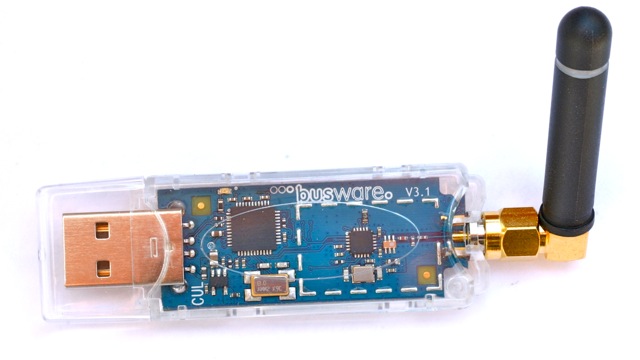
The device ships with a DFU-bootloader. By default, a lambda/4 wire antenna is connected. Nevertheless, the PCB contains an SMA antenna pin header, where you may solder a “real” antenna if required.
The 868MHz RF design follows TI’s design note DN025.
Alternatively, you may solder an FPC-socket to use serial ISP programming.
watch a YouTube video on how this module is manufactured.
Specs
- MCU: ATMega32U4 processor 8MHz @ 3.3V
- Transceiver: CC1101 ISM transceiver tuned for 868MHz or 433MHz
- Antenna: Pin header for SMA / SMA-RP socket
- Status: Green multi-purpose LED
- Input: Multi-purpose micro switch (HWB)
- Interface: USB type A male connector
- Expansion: Optional ISP connector (FPC6)
- Shielding: Optional HF-shield footprint
Documents
- CUL V3.2 schematics
- CUL V3.2 placement (top)
- CUL dimensions / measures
- ISM-Transceiver CC1101 Datasheet
- Atmel controller ATMega32U4 Datasheet
Firmware & Update
The device comes pre-erased or with a test firmware. You will need to flash a firmware (like culfw) to use it with home automation software (e.g., FHEM, openHAB, Home Assistant).
New: Browser-based Flasher & Service Tool
The easiest way to flash and configure the CUL stick is our new web tool. It requires no software installation and runs directly in Chrome, Edge, or Opera browsers.
>> Start CUL Web Flasher & Service Tool <<
Features:
- One-Click Update: Automatically fetches the latest a-culfw release.
- Configuration: Verify and calculate CC1101 register settings (Frequency, Bandwidth, Power).
- Terminal: Send raw commands (e.g., V, X21) directly to the stick.
Manual Flashing (Legacy)
If you prefer command-line tools or need to build your own firmware:
1. Enter Bootloader Mode:
- If the stick is erased (new): It starts in bootloader mode automatically.
- If culfw is running: Send command B01 via serial terminal.
- Hardware method: ** Locate the PROGRAM button (micro switch) at the back of the module. ** Keep it pressed while plugging the USB stick in.
2. Flash using dfu-programmer:
dfu-programmer atmega32u4 erase —force dfu-programmer atmega32u4 flash CUL_V3.hex dfu-programmer atmega32u4 reset
Note for Windows Users: To use the Web Flasher or dfu-programmer on Windows, you may need to replace the default Atmel driver with WinUSB using Zadig while the stick is in bootloader mode.
Firmware Sources
- a-culfw - Alternative/Advanced firmware (Recommended, used by the Web Flasher)
- culfw - Original firmware for FHEM
Recommended tools/software
- PlatformIO - Recommended development environment
- a-culfw project - Exemplary project structure for PlatformIO
- dfu-programmer
- LUFA (MyUSB) - Open source USB stack (useful for custom firmware development)
3rd Party Firmware & Software
- FHEM - The standard home automation server for this device
- libcul project - A library to simplify using the CUL device in C-programs
Links
- CUL fans - Group discussion / Support Forum
Availability
This module is available in our shop in two versions:
There is also a cost-optimized hardware version called “Version 4” (nanoCUL), based on the ATmega32u2 processor with limited RAM resources.
Pictures
Image Gallery
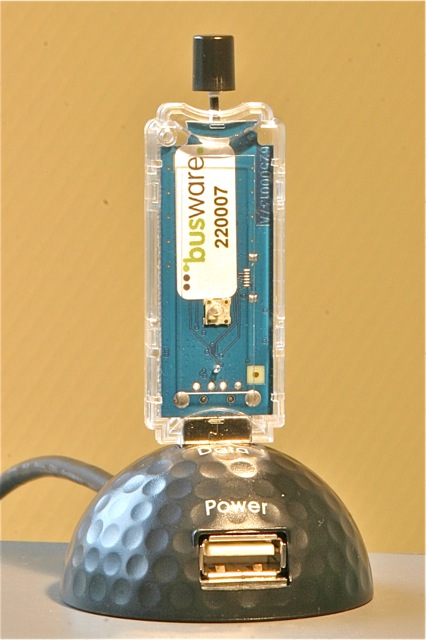
Transparent CUL within docking station: